
App components on automations
App components can also be used to extend Asana’s native automations. Automations have two core features: triggers and actions. Triggers like user assigned or task created are set to automate actions like move task to section, etc. Actions can be customized with the automation action app component.
| Capability | Description |
|---|---|
| Automation actions | Build one or more custom action for Asana’s Automations engine to help users automate their work. Users can create automations that run your action when trigger |
Try app components with our interactive UI builderFor hands on learning, we recommend using our interactive UI Builder to see how app component responses are generated.
Automation actions
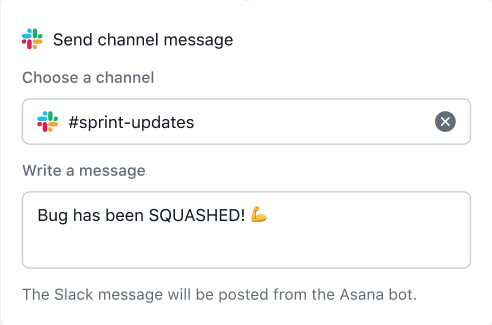
An automation action allows users to customize actions triggered by Asana's automation engine. They function similarly to a modal form, as Asana requests a form definition from the app server. The app controls the form fields, handles on_change events, and stores the inputs of the form. When an automation is created, Asana sends a request to the app server with the user-specified inputs. When the automation is triggered, Asana sends an event to the app server.
Automation actions example appTo see an example app server written for automation actions, see our app-components-rule-action-example-app on GitHub.
Dynamic forms
You can include branching logic in your automation action forms to create a dynamic user experience. That is, forms can change according to how the user responds to specific questions.
on_change_callback
Under the hood, branching is made possible by on_change events. While a user is filling out a form, the app server can receive on_change requests. These requests include what the user has changed, and allow the app server to respond with an updated form (e.g., with new fields). To take advantage of on_change events, you may set a form field's is_watched value to true and an on_change_callback endpoint to hit with updates.
See the on_change_callback property in the 200 response to the form metadata request (alternatively, see the FormMetadata schema). The request sent to that endpoint is the on change callback request.
on_submit_callback
on_submit events allow the form to be submitted once all required fields are completed. As such, this property should only be provided during the "final branch" of your form. If the on_submit_callback property is omitted, the submission button will be disabled.
See the on_submit_callback property in the FormMetadata schema for an example.
Configuration
| Property | Description |
|---|---|
| Display name | The Automation Action name visible to end users in the automation builder (e.g., "Create a Jira issue"). |
| Run action URL | A URL that Asana will make a request to when the automation is triggered. |
| Form metadata URL | A URL that Asana will make a request to to display the configuration form. |
Automation actions documentation
View schemas related to automation actions here in the API reference.
Endpoints
Updated 27 days ago